Goldilocks: How to Set Kubernetes Resource Requests "Just Right"
Misconfigured Kubernetes resource settings either waste cluster capacity or terminate pods in production. Goldilocks surfaces VPA's internally calculated recommendations into a readable dashboard — practical for squeezing more out of fixed on-premise hardware.
1. The Real Problem: Resource Settings Based on Gut Feeling
resources.requests and resources.limits are the core settings that tell the Kubernetes scheduler where to place a pod and guarantee the kubelet will reserve capacity for it. Setting these values accurately requires three things:
- Actual CPU and memory usage patterns of the workload
- Peak usage figures
- A sufficient observation window — at minimum, several days to several weeks
For most teams, that process is simply not realistic. Deployment schedules are tight, and nobody has the bandwidth to stare at monitoring dashboards long enough to build a reliable picture. The result is a "reasonable-sounding value" derived from instinct and past experience that ends up in production.
The reason this problem has persisted for so long is not technical complexity. The workflow from observation to recommendation has never existed in a usable form.
2. What Is Goldilocks?
Goldilocks is an open-source utility built by FairwindsOps with more than 3,200 GitHub Stars — a well-validated tool in the Kubernetes ecosystem.
Its core philosophy is straightforward:
"Collect the recommendation data from the Kubernetes Vertical Pod Autoscaler (VPA) and visualize it in a dashboard teams can act on immediately."
Goldilocks itself does not analyze resource usage. The VPA Recommender — an official Kubernetes component — already calculates recommended values based on actual usage. Goldilocks is the layer that reads those results and presents them in a readable UI.
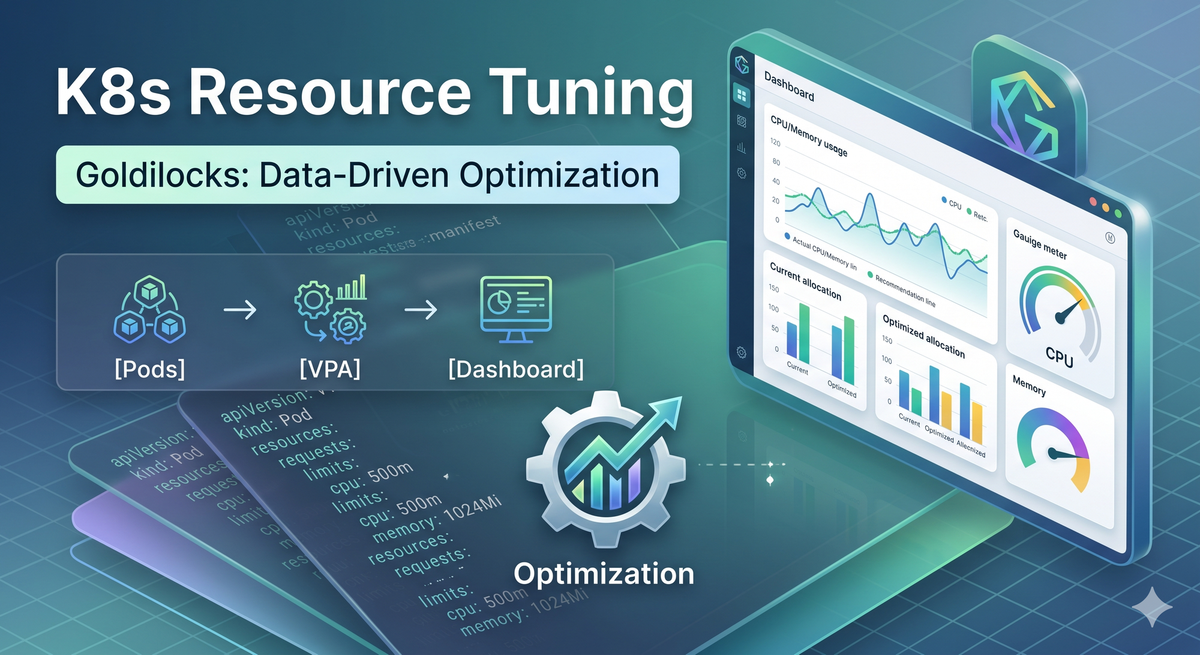
3. How It Works: A Three-Layer Architecture
Goldilocks is composed of three layers:
[Goldilocks Controller] —(creates VPA objects)→ [VPA Recommender] —(writes recommendations)→ [Goldilocks Dashboard]
        ↑
[watches live workloads]
VPA Recommender
This is a component from the official Kubernetes autoscaler project. It continuously collects historical CPU and memory usage from pods, calculates appropriate requests recommendations, and writes those values to the status field of each VPA object.
When Goldilocks creates VPA objects, it sets updateMode: "Off". This means that even though the VPA Recommender calculates recommendations, it never restarts pods or modifies live resource values. Even when vpa-admission-controller and vpa-updater are installed alongside it, neither component intervenes when updateMode is set to "Off".
Goldilocks Controller
Once you apply the label goldilocks.fairwinds.com/enabled=true to a namespace, the Controller begins watching workloads (Deployment, DaemonSet, StatefulSet, etc.) in that namespace and automatically creates VPA objects for them. The key behaviors are:
- On label application, VPA objects are created in bulk for all existing workloads
- As new workloads are added, additional VPA objects are created via a reconcile loop
- If a VPA object already exists, it is not recreated
- On label removal, all VPA objects in that namespace are deleted
Goldilocks Dashboard
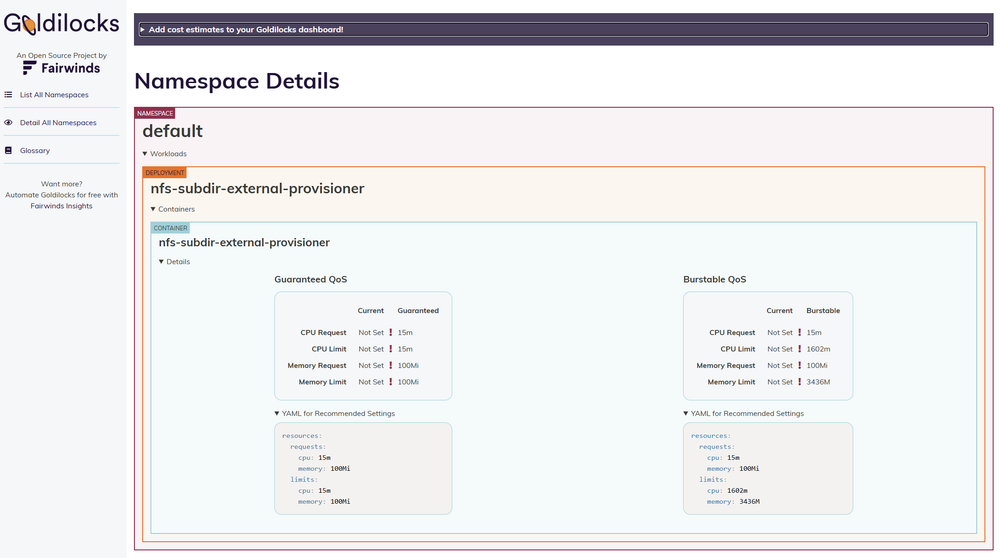
The Dashboard reads recommendations from the status of each VPA object and displays them in a web UI. For each container it shows recommendations under both Guaranteed and Burstable QoS classes (Lower Bound / Target / Upper Bound), alongside the currently configured requests and limits values.
4. Hands-On: Up and Running in 10 Minutes
Prerequisites
kubectlconfigured- metrics-server installed (required by VPA)
- Helm v3
Step 1 — Install VPA
helm repo add fairwinds-stable https://charts.fairwinds.com/stable
helm install vpa fairwinds-stable/vpa \
  --namespace vpa \
  --create-namespace
Step 2 — Install Goldilocks
kubectl create namespace goldilocks

helm install goldilocks fairwinds-stable/goldilocks \
  --namespace goldilocks
Step 3 — Enable a Namespace
Apply the label to any namespace whose workloads you want to analyze.
# Example: enable analysis on the default namespace
kubectl label ns default goldilocks.fairwinds.com/enabled=true
The moment the label is applied, the Controller creates VPA objects for every workload in that namespace.
# Confirm VPA objects were created
kubectl get vpa -n default
Step 4 — Open the Dashboard
kubectl -n goldilocks port-forward svc/goldilocks-dashboard 8080:80
Open http://localhost:8080 in your browser. Once VPA has collected enough data — typically within minutes to tens of minutes — per-container recommendations will appear.
| Field | Description |
|---|---|
| Guaranteed QoS | Recommended values when setting requests = limits |
| Burstable QoS | Recommended requests values when limits are managed separately |
| Current values | The requests/limits currently set on the Deployment |
| Lower Bound | Safe minimum |
| Upper Bound | Maximum based on observed peaks |
5. One Caveat: Do Not Apply Blindly
The values Goldilocks shows are a starting point, not a final answer. There are good reasons not to copy them directly into production.
Short observation windows produce understated recommendations. Peak usage events — end-of-month batch processing, incident replay, traffic surges — may not yet be reflected in VPA's data. It is safer to allow at least one to two weeks of observation before acting on the recommendations.
Goldilocks supports the decision about resource settings; it does not automatically modify deployments. The recommended workflow is to review the recommendations, make a judgment call as a team, and apply changes through your GitOps pipeline.
6. Why This Matters in Air-Gapped Environments
In air-gapped, on-premise environments like PAASUP DIP, resource optimization carries even more weight.
On public cloud, adding a node takes a few minutes. On-premise, adding a server means budget approval, procurement process, and delivery lead time. The only viable path is getting the most out of the hardware you already have.
The more precisely the resource settings are tuned for each component running on DIP — Spark workloads, Flink streaming, StarRocks query engine, Milvus vector search — the more workloads the same cluster can absorb reliably.
Goldilocks is the tool that makes that precision data-driven rather than instinct-driven.
Closing
Resource settings are not a one-time decision. Workloads evolve, data volumes grow, and usage patterns shift. Making Goldilocks a regular part of your team's operational routine — rather than a one-off exercise — is one of the lowest-effort levers for improving cluster efficiency over time.
Just as Goldilocks in the fairy tale searched for porridge that was neither too hot nor too cold — your cluster is ready to find its own "just right."