
CDC Implementation from PostgreSQL to StarRocks: A Practical Guide
This case study demonstrates building a real-time CDC pipeline from PostgreSQL to StarRocks using Debezium and Kafka, achieving 4,000+ rows/sec replication. With StarRocks' MPP architecture, we significantly improved analytical query performance and implemented a scalable data pipeline.

Table of Contents
- Overview
- Source DB (PostgreSQL) Configuration
- Kafka Topic Creation
- Target DB (StarRocks) Configuration
- Kafka Connector Setup
- Verification and Testing
- BI Implementation
- Conclusion
Overview
Implementation Goal
Build a stable and high-performance CDC (Change Data Capture) pipeline from PostgreSQL (Source DB) to StarRocks (Target DB). Implement a real-time data replication system using Debezium and Kafka, and analyze and visualize the replicated data through Apache Superset.
Implementation Architecture
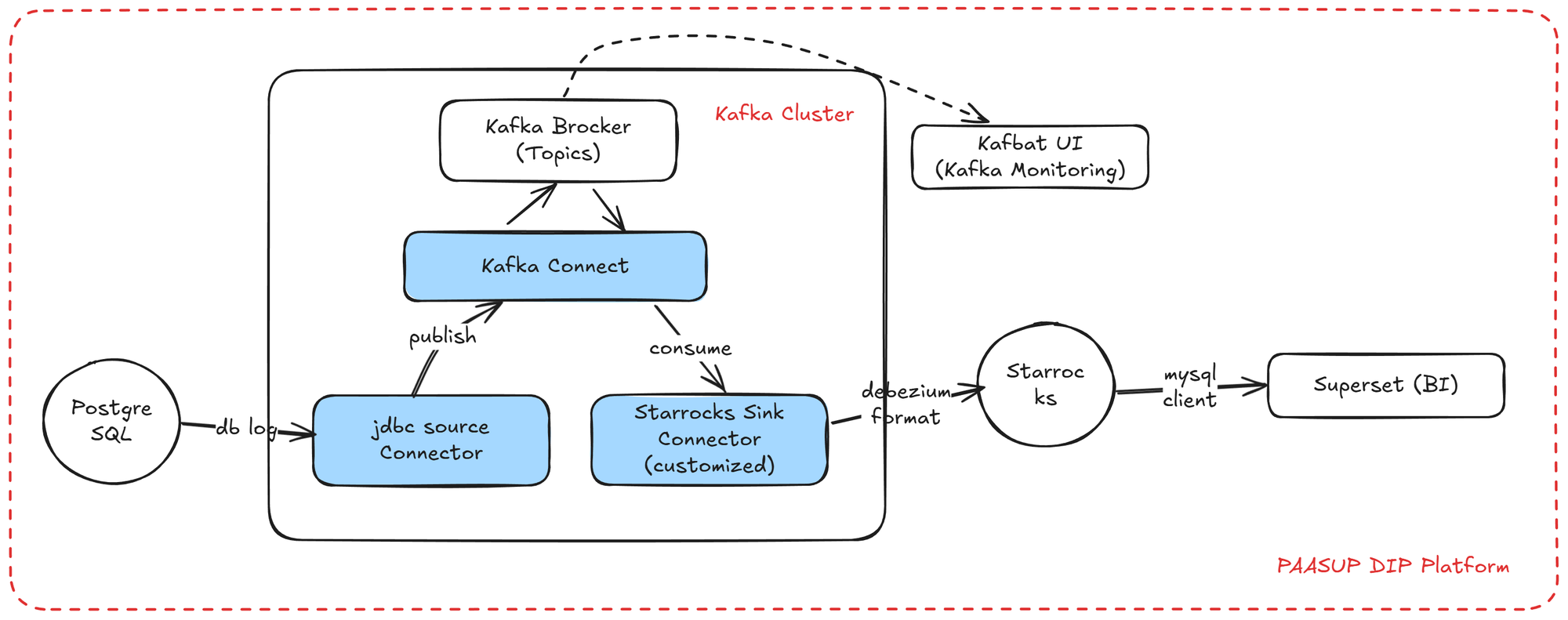
We implement a real-time data replication architecture using Debezium CDC in the PAASUP DIP (Data Intelligence Platform) environment. Change data from PostgreSQL is sent to Kafka Topics through Debezium, passes through the StarRocks Sink Connector, and is finally stored in S3-based StarRocks. The replicated data is visualized through Apache Superset dashboards.
Implementation Environment
The following technology stack is used in PAASUP DIP.
| Component | Technology Stack |
|---|---|
| Source DB | PostgreSQL 15.4 |
| Target DB | StarRocks 3.5.5 |
| Message Broker | Kafka Cluster 4.0.0 |
| Kafka Connectors | Debezium PostgreSQL Connector 2.6.0 StarRocks Sink Connector 1.0.2 Customized |
| Monitoring | Kafbat UI 1.3.0 |
| BI Tool | Apache Superset 4.1.1 |
This article includes instructions for creating Kafka-related catalogs, but for creating PostgreSQL, StarRocks, and Superset catalogs, please refer to the previous blog post.
Source DB (PostgreSQL) Configuration
Database Settings Verification
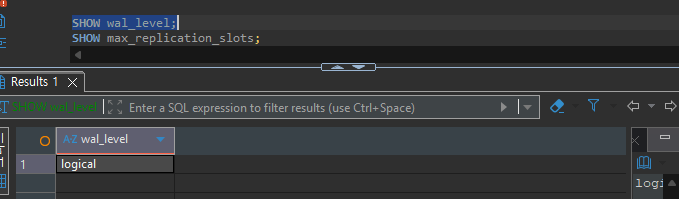
Debezium CDC utilizes PostgreSQL's Logical Replication feature. For this, the WAL (Write-Ahead Log) level must be set to logical.
-- Check WAL level
SHOW wal_level;
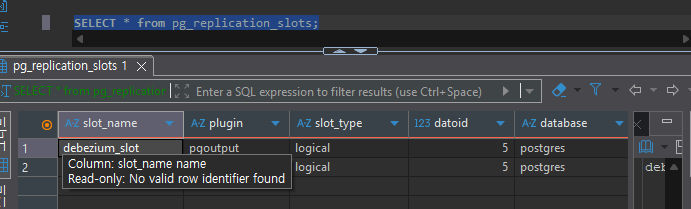
Next, verify the Replication Slot. A Replication Slot is a PostgreSQL mechanism that ensures WAL files are not deleted while CDC clients are reading data.
-- Check maximum replication slots
SHOW max_replication_slots;

-- Check currently created slots
SELECT * FROM pg_replication_slots;
Test Data Preparation
For CDC testing, we utilize Seoul Metro operation data. We create copies of the following three tables:
subway_info_copy(768 rows) - Basic subway station informationsubway_passengers_copy(2,225,784 rows) - Daily boarding/alighting passenger datasubway_passengers_time_copy(1,778,618 rows) - Hourly boarding/alighting passenger data
Source Table Creation
Important: To accurately replicate UPDATE and DELETE operations through Debezium CDC, Primary Keys must be defined on the source tables.
-- Passenger information table
CREATE TABLE public.subway_passengers_copy (
    use_date varchar(8) NOT NULL,
    line_no varchar(100) NOT NULL,
    station_name varchar(100) NOT NULL,
    pass_in numeric(13) NULL,
    pass_out numeric(13) NULL,
    reg_date varchar(8) NULL,
    PRIMARY KEY (use_date, line_no, station_name)
);

-- Subway information table
CREATE TABLE public.subway_info_copy (
    line_no varchar(100) NOT NULL,
    station_name varchar(100) NOT NULL,
    station_cd varchar(10) NULL,
    station_cd_external varchar(10) NULL,
    station_ename varchar(100) NULL,
    station_cname varchar(100) NULL,
    station_jname varchar(100) NULL,
    PRIMARY KEY (line_no, station_name)
);

-- Hourly passenger information table
CREATE TABLE public.subway_passengers_time_copy (
    use_ym varchar(6) NULL,
    line_no varchar(100) NULL,
    station_name varchar(100) NULL,
    time_term varchar(20) NULL,
    pass_in numeric(12) NULL,
    pass_out numeric(12) NULL,
    reg_date varchar(8) NULL,
    PRIMARY KEY (use_ym, line_no, station_name, time_term)
);
Data Replication Settings
To fully capture pre-change data during DELETE operations in CDC, set the REPLICA IDENTITY FULL option. This setting ensures all column values are logged in the WAL.
ALTER TABLE public.subway_passengers_copy REPLICA IDENTITY FULL;
ALTER TABLE public.subway_passengers_time_copy REPLICA IDENTITY FULL;
ALTER TABLE public.subway_info_copy REPLICA IDENTITY FULL;

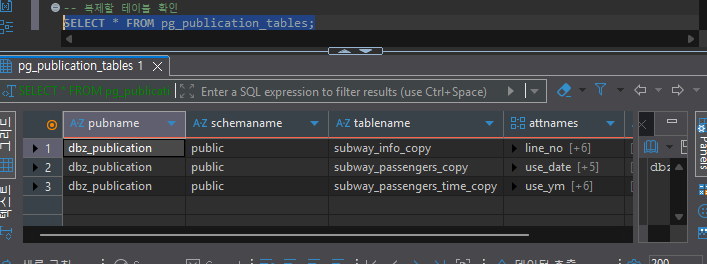
-- Check tables registered in publication
SELECT * FROM pg_publication_tables;
Data Replication for Initial Load Testing
When creating a Debezium Connector, existing data is initially loaded through the snapshot feature. For testing purposes, we copy some data from the original tables.
-- Subway station information: Copy all data (796 rows)
INSERT INTO subway_info_copy
SELECT * FROM subway_info;

-- Daily boarding/alighting data: Copy January 2015 data only (16,784 rows)
INSERT INTO subway_passengers_copy
SELECT * FROM subway_passengers
WHERE use_date LIKE '201501%';

-- Hourly boarding/alighting data: Copy January 2015 data only (13,080 rows)
INSERT INTO subway_passengers_time_copy
SELECT * FROM subway_passengers_time
WHERE use_ym = '201501';
Kafka Topic Creation
The Kafka Cluster must be pre-configured as a DIP cluster catalog. DIP's Kafka Cluster includes both Kafka Broker and Kafka Connect.
Topic Creation
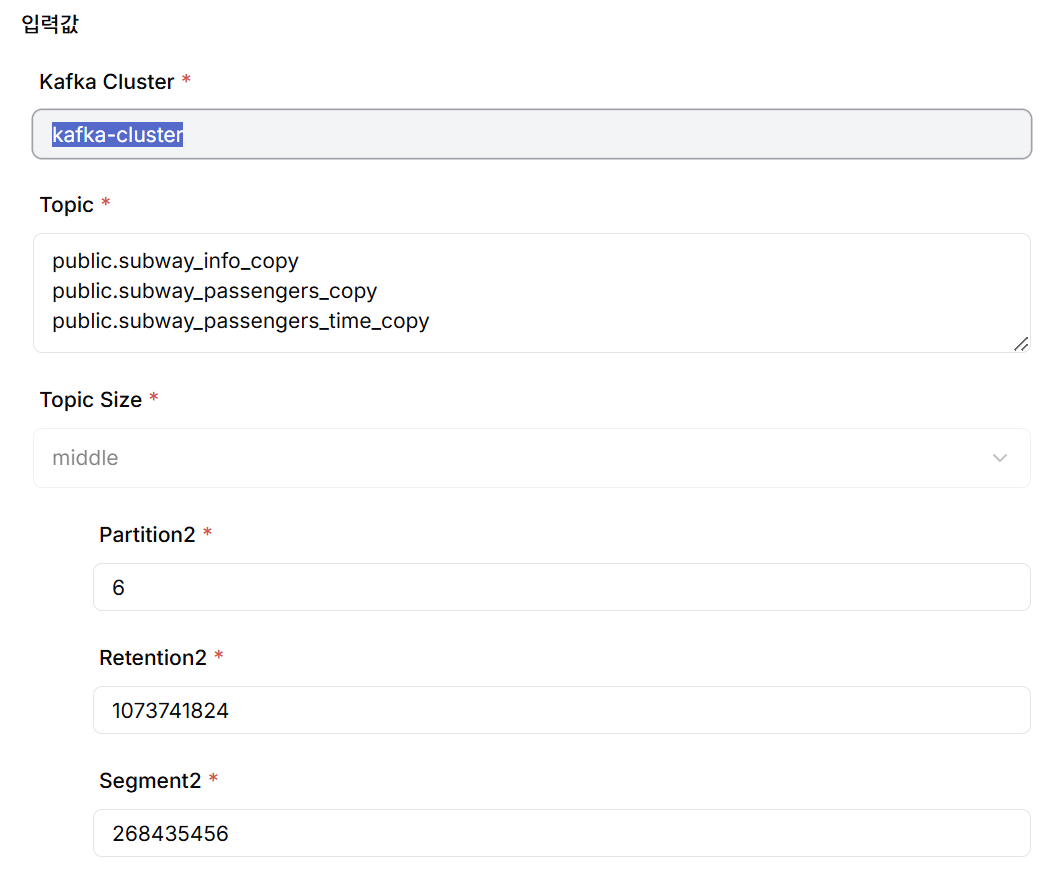
Create Kafka Topics from the DIP project catalog creation menu. Each Topic maps 1:1 to a source table, following the naming convention <schema_name>.<table_name>. The actual created Topic name automatically includes the project name as a prefix.
When creating Topics, the following parameters should be appropriately configured for CDC performance optimization and efficient message storage management:
- Number of Partitions: A logical division unit for parallel message processing within a Topic. More partitions increase throughput but also increase management overhead.
- Retention bytes: The maximum capacity of messages that each Partition can retain. When this value is exceeded, older messages are deleted first.
- Segment bytes: The maximum size of physical files (Segments) that store partition logs. Compression and deletion occur at the segment level.
For user convenience, DIP categorizes Topic Size into Small/Middle/Large and provides default values for the above parameters for each size. Detailed values can also be adjusted directly as needed.
Target DB (StarRocks) Configuration
In the Target DB (StarRocks), only the schema of the replication target tables needs to be created. Primary Keys are not mandatory but are recommended for data consistency and query performance. Table names do not need to match the source tables exactly; mapping information can be specified in the Sink Connector configuration.
USE quickstart;

-- Subway information table
CREATE TABLE subway_info_copy (
    line_no VARCHAR(100) NOT NULL,
    station_name VARCHAR(100) NOT NULL,
    station_cd VARCHAR(10) NULL,
    station_cd_external VARCHAR(10) NULL,
    station_ename VARCHAR(100) NULL,
    station_cname VARCHAR(100) NULL,
    station_jname VARCHAR(100) NULL
) ENGINE=OLAP
PRIMARY KEY (line_no, station_name)
DISTRIBUTED BY HASH(line_no, station_name) BUCKETS 10;

-- Passenger information table
CREATE TABLE subway_passengers_copy (
    use_date varchar(8) NOT NULL,
    line_no varchar(100) NOT NULL,
    station_name varchar(100) NOT NULL,
    pass_in numeric(13) NULL,
    pass_out numeric(13) NULL,
    reg_date varchar(8) NULL
) ENGINE=OLAP
PRIMARY KEY (use_date, line_no, station_name)
DISTRIBUTED BY HASH(use_date, line_no, station_name);

-- Hourly passenger information table
CREATE TABLE subway_passengers_time_copy (
    use_ym varchar(6),
    line_no varchar(100),
    station_name varchar(100),
    time_term varchar(20),
    pass_in numeric(12) NULL,
    pass_out numeric(12) NULL,
    reg_date varchar(8) NULL
) ENGINE=OLAP
PRIMARY KEY (use_ym, line_no, station_name, time_term)
DISTRIBUTED BY HASH(use_ym, line_no, station_name, time_term);
Kafka Connector Setup
Create Kafka Connectors from the DIP project catalog creation menu. When creating the Kafka Connector catalog, you can create both the PostgreSQL Debezium Source Connector and the StarRocks Sink Connector at once and deploy them, or create and deploy the Source Connector and Sink Connector separately. In this example, we created and deployed the two Connectors separately for operational management flexibility.
StarRocks Sink Connector Customization
The StarRocks Sink Connector requires customization to match the project environment. Based on version 1.0.4 of the StarRocks Sink Connector from GitHub, the following components were upgraded:
- Java 8 → Java 17
- Kafka 3.4 → Kafka 4.0
- StarRocks 2.5 → StarRocks 3.5
The customized StarRocks Sink Connector image is pre-deployed in the DIP Kafka Cluster.
PostgreSQL Debezium Source Connector Creation
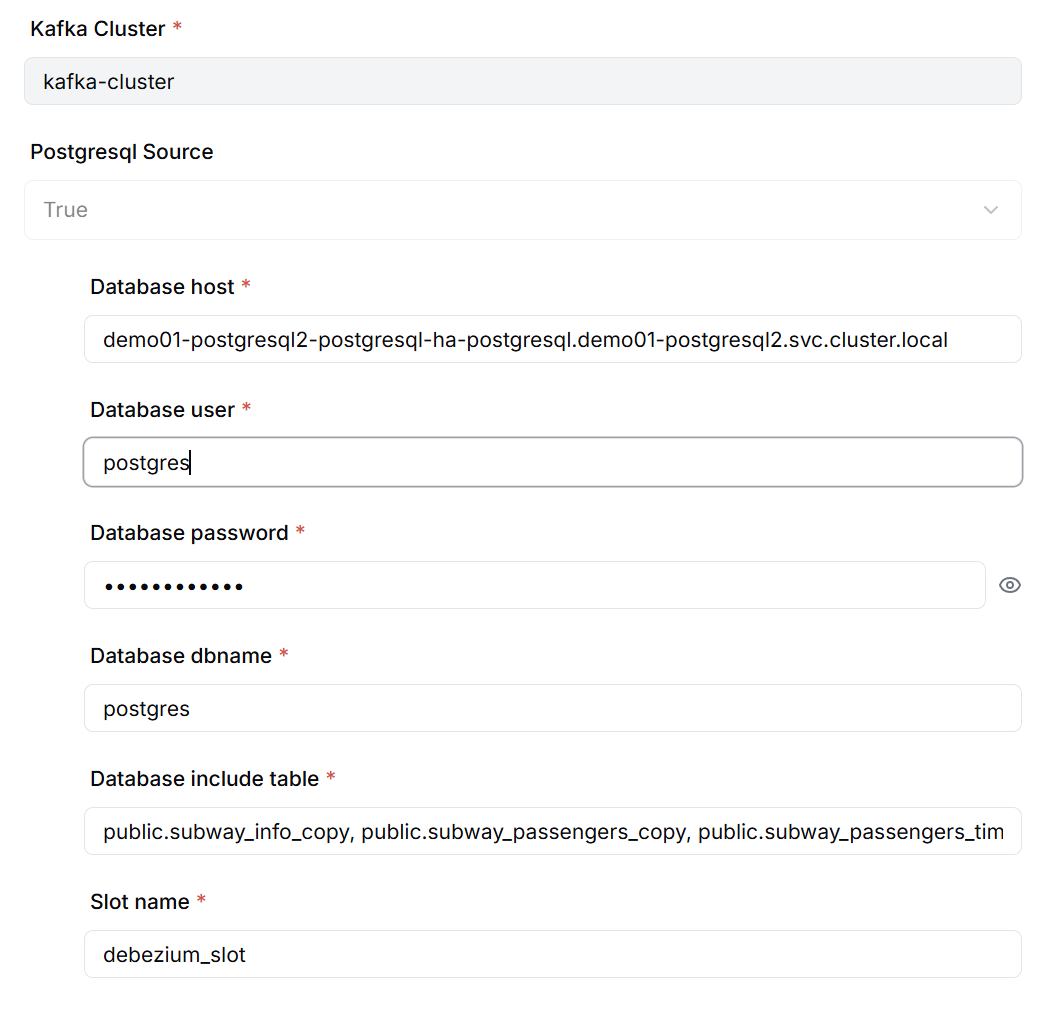
When creating the Source Connector, configure the following information:
- PostgreSQL database connection information (host, port, database name, authentication info)
- List of tables for CDC
- Debezium Replication Slot name
Verify Topic Messages After Source Connector Creation
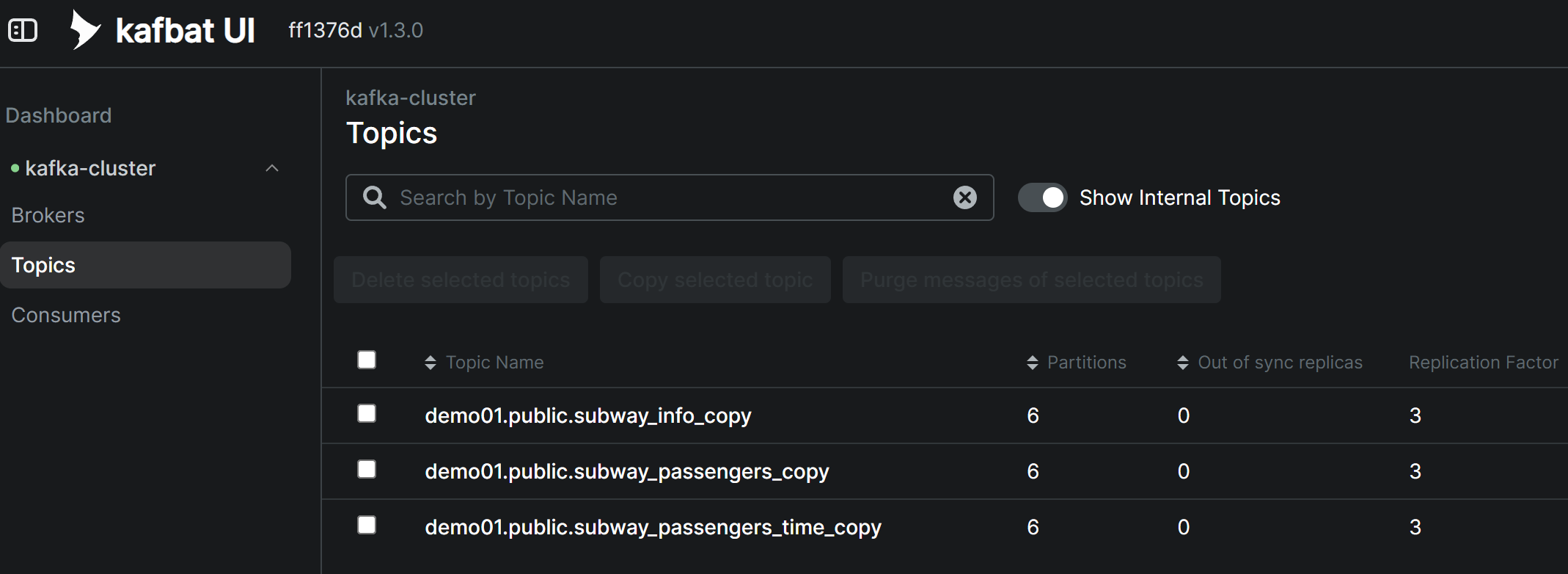
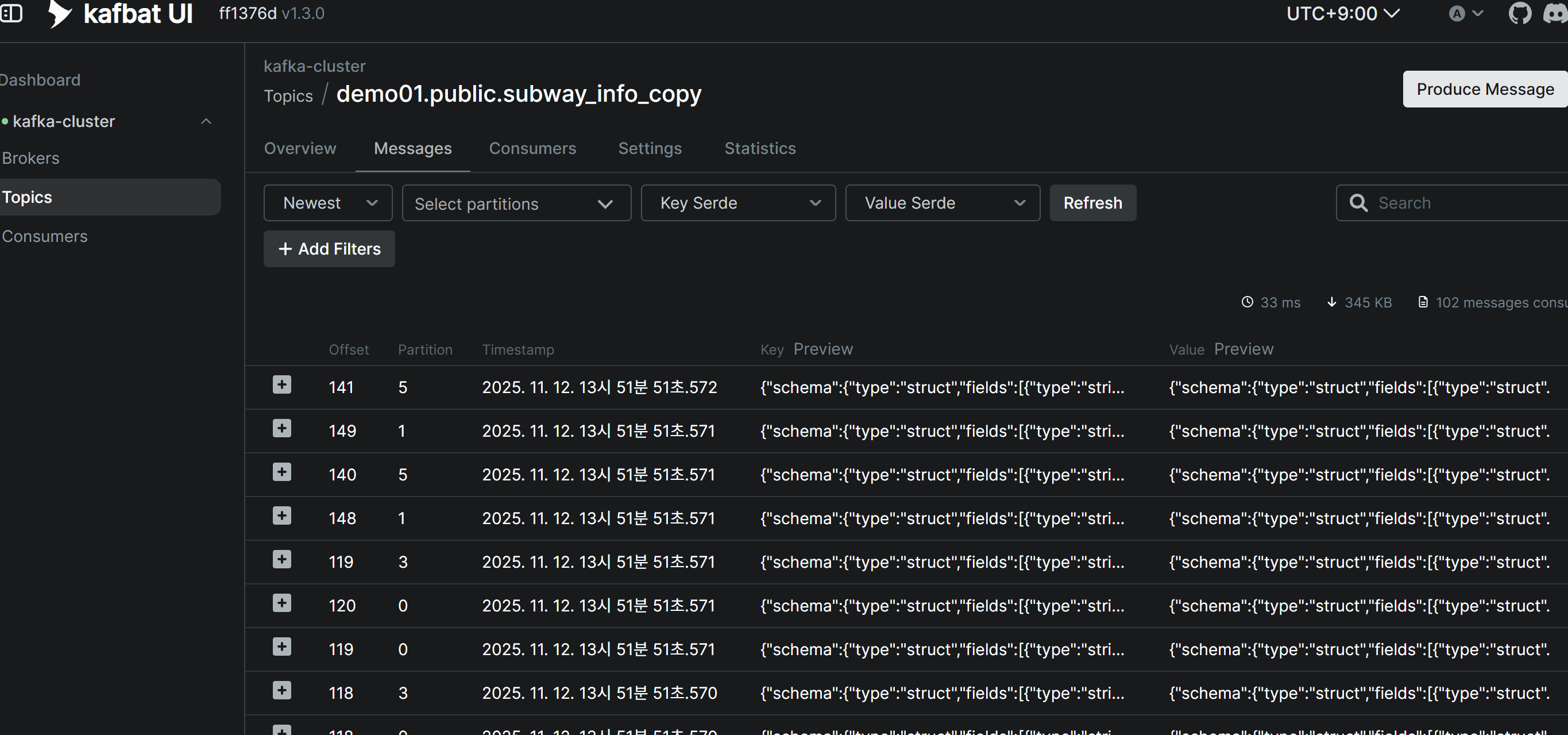
When the Debezium Source Connector is successfully created, existing data (snapshot) from the source tables is automatically published to Kafka Topics. You can verify that messages have been received normally in each Topic through Kafbat UI.
StarRocks Sink Connector Creation
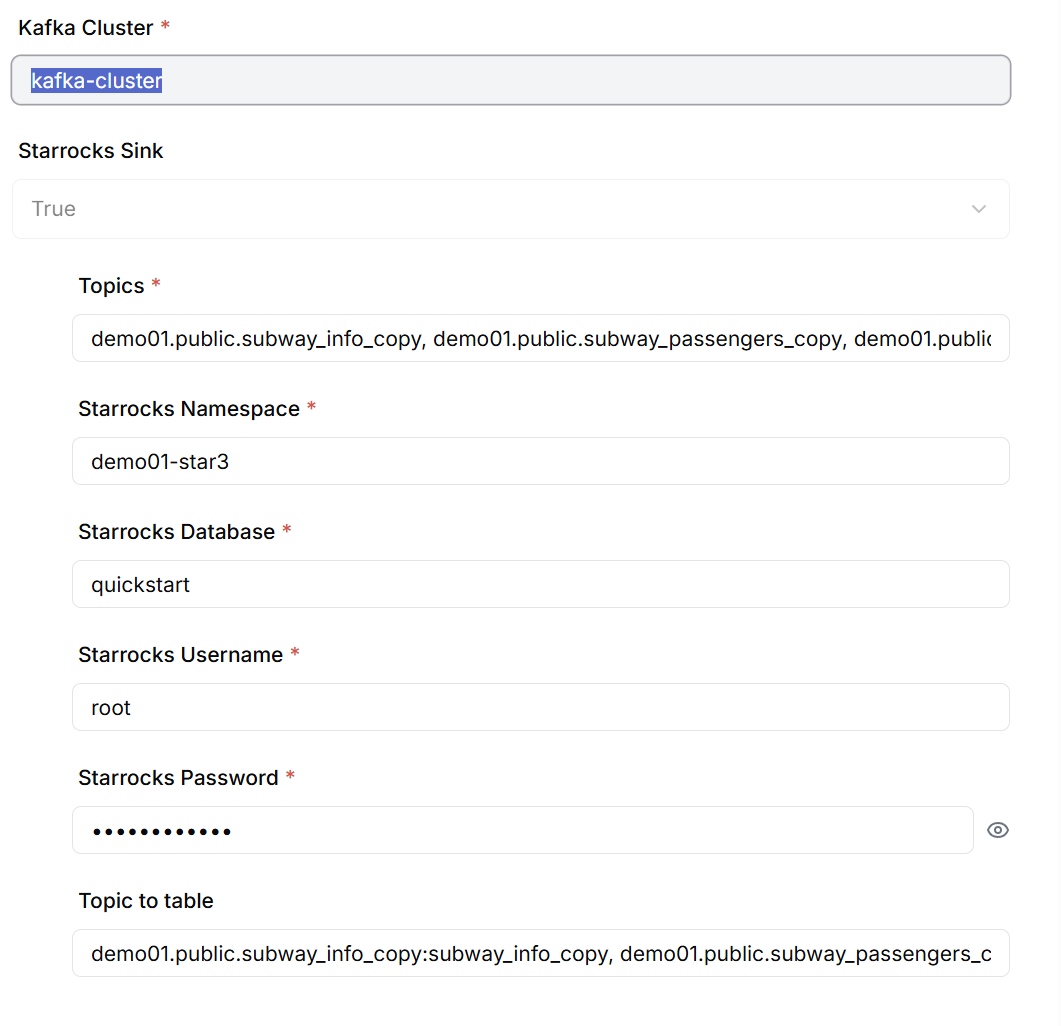
When creating the Sink Connector, configure the following information:
- List of Kafka Topics to subscribe to (enter separated by commas)
- StarRocks database connection information
- Mapping information between Topics and Target tables
Verification and Testing
Initial Load Verification
When the StarRocks Sink Connector is deployed, it begins reading messages from Kafka Topics and loading them into the Target DB. You can verify that approximately 30,000 initial data records are loaded into StarRocks within 2-3 seconds.
-- Check row count for each table
SELECT COUNT(*) FROM quickstart.subway_info_copy;          -- 796 rows
SELECT COUNT(*) FROM quickstart.subway_passengers_copy;    -- 16,784 rows
SELECT COUNT(*) FROM quickstart.subway_passengers_time_copy; -- 13,080 rows
CDC Performance Verification
To measure real-time CDC performance, we perform bulk DML operations on the Source tables and measure the time it takes to reflect them in the Target tables.
Test Scenarios:
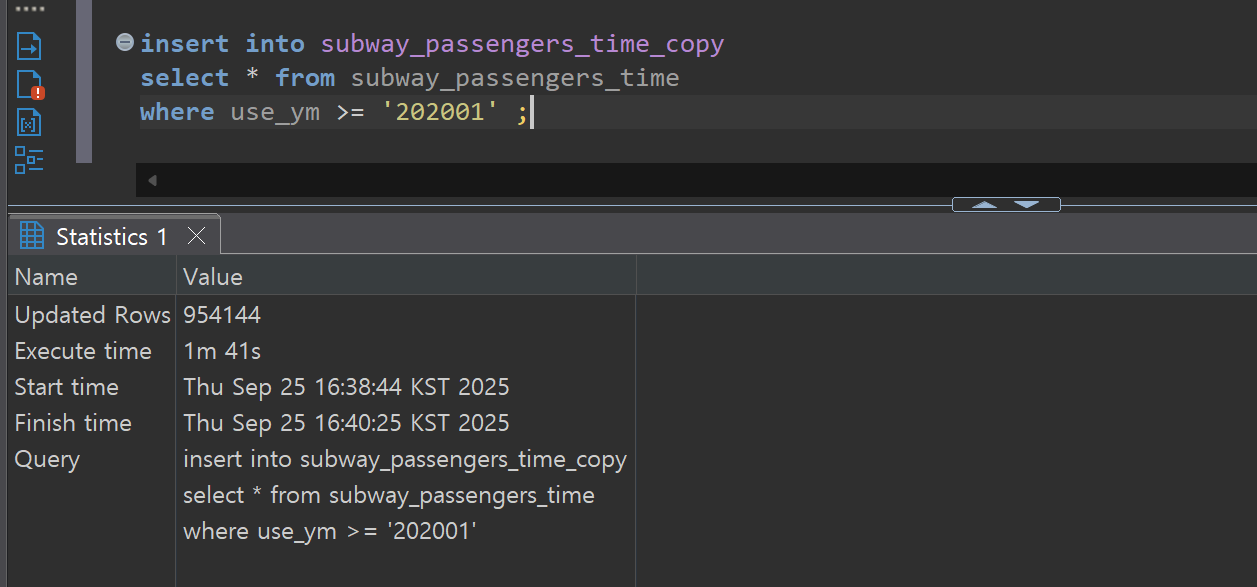
- Bulk Insert: Large-scale data insertion of approximately 950,000 rows
- Bulk Update: Mass update of existing data
- Bulk Delete: Large-scale data deletion
Performance Measurement Results:
- Bulk insert operation: Approximately 238 seconds from PostgreSQL commit completion to StarRocks load completion
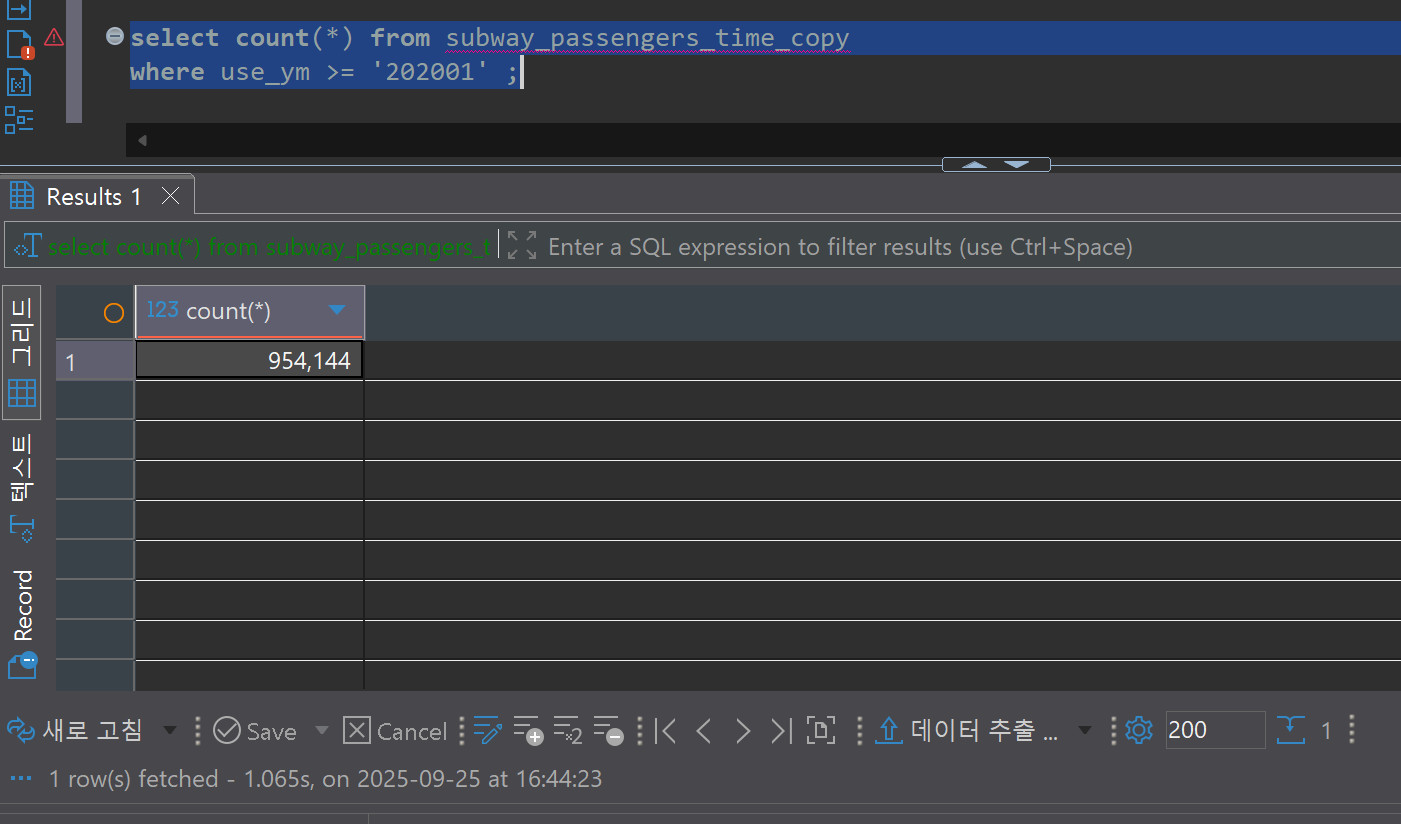
- Throughput: 954,144 rows / 238 seconds ≈ 4,009 rows/second
Data Consistency Verification
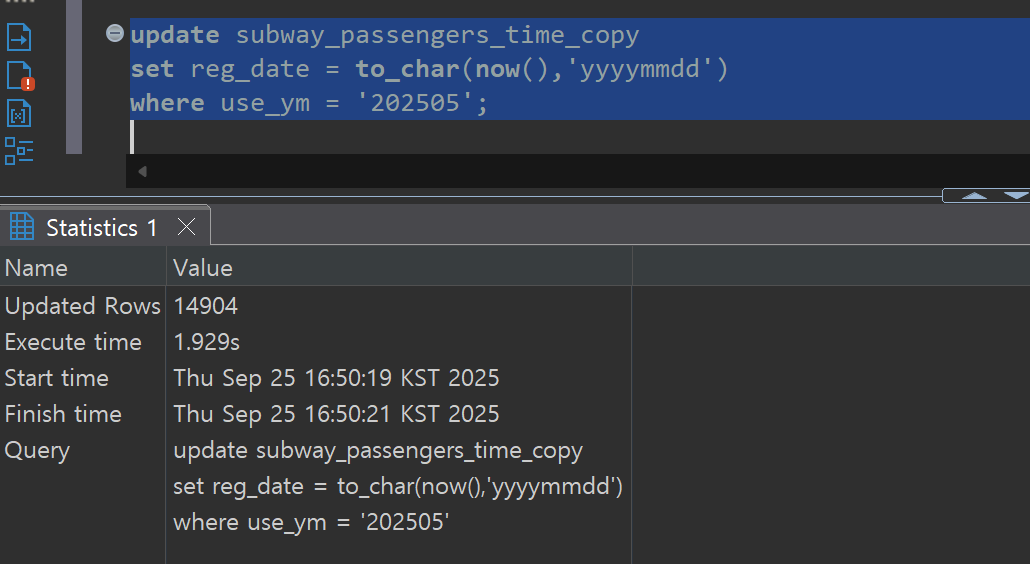
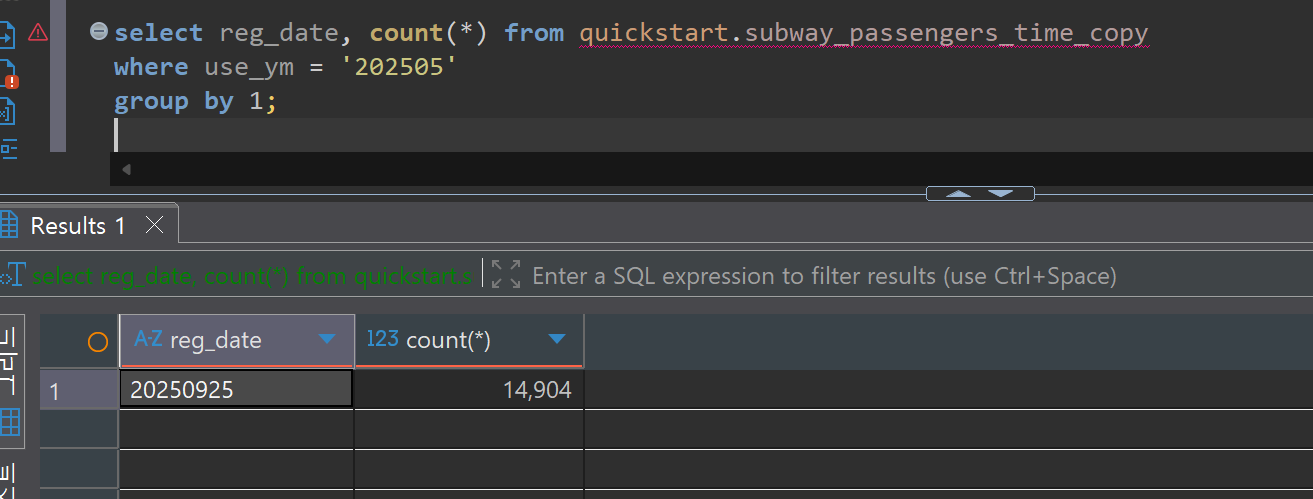
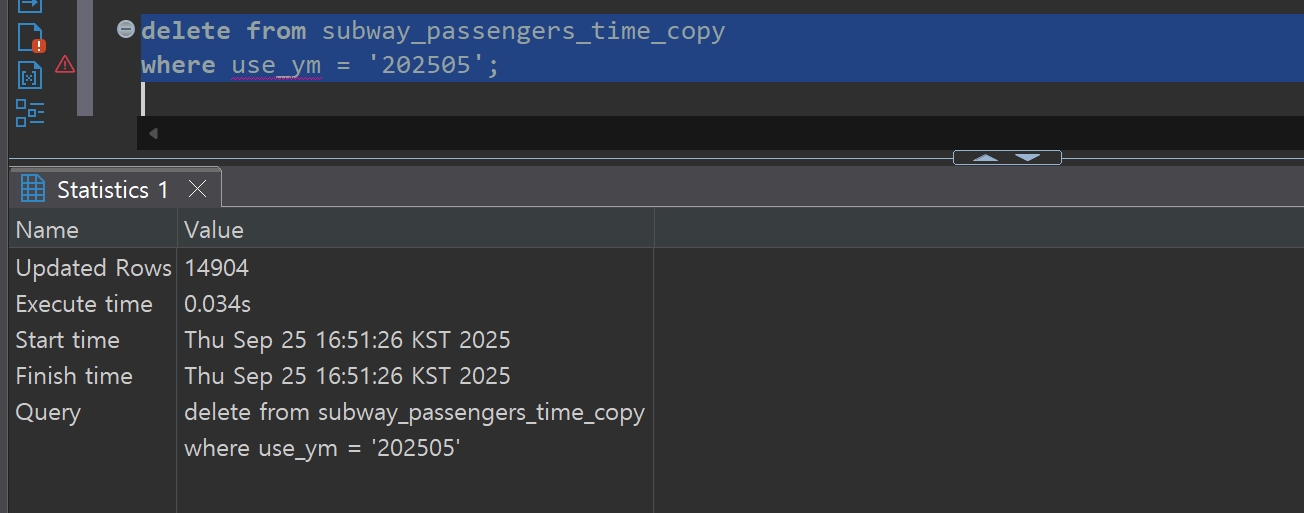
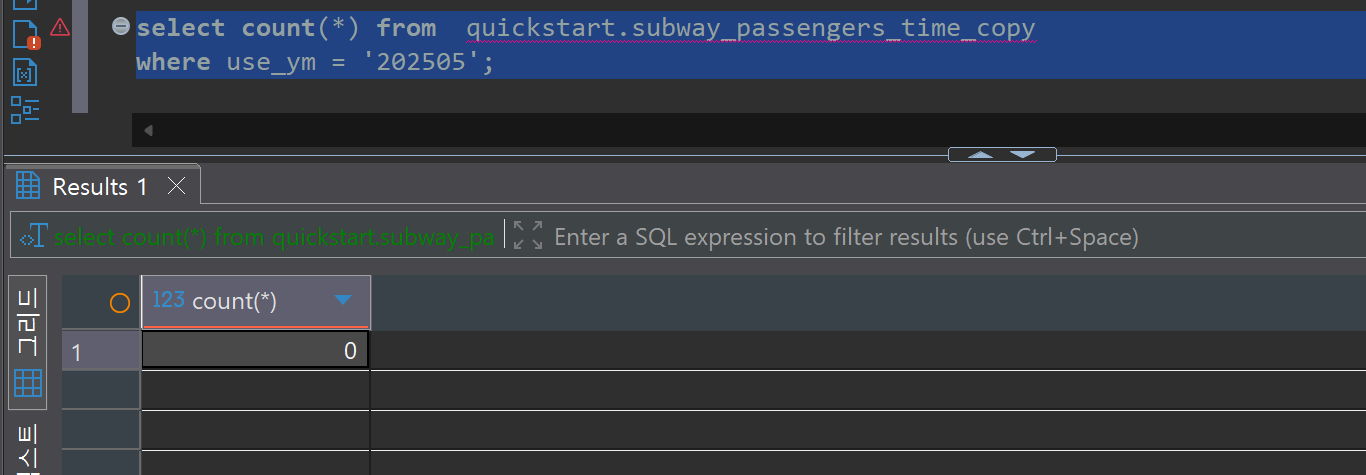
To verify the reliability of the CDC system, we compare data between the Source DB and Target DB. We can confirm that the record counts and contents of both databases match exactly even after bulk update and delete operations.
Bulk Update Verification:
Bulk Delete Verification:
BI Implementation
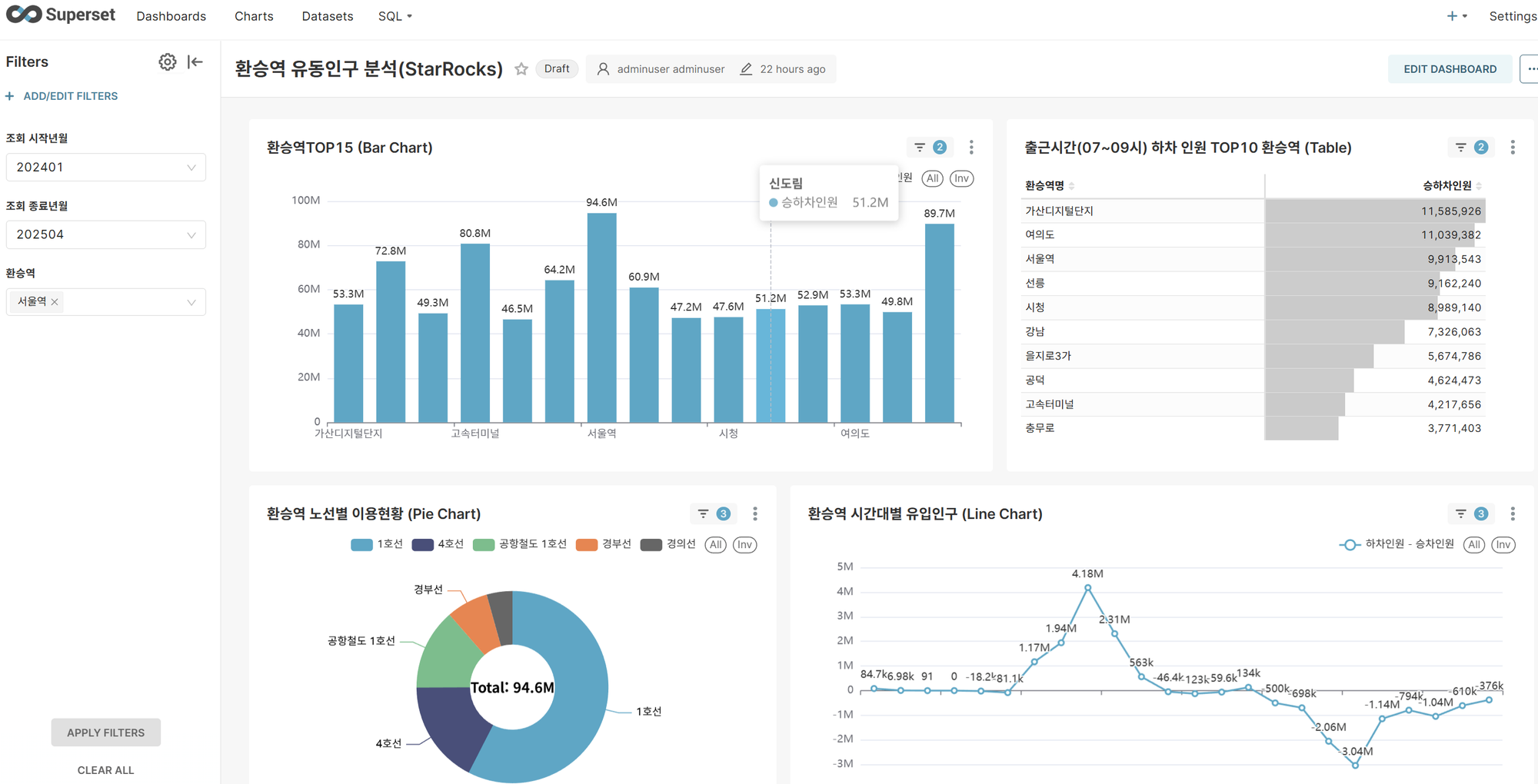
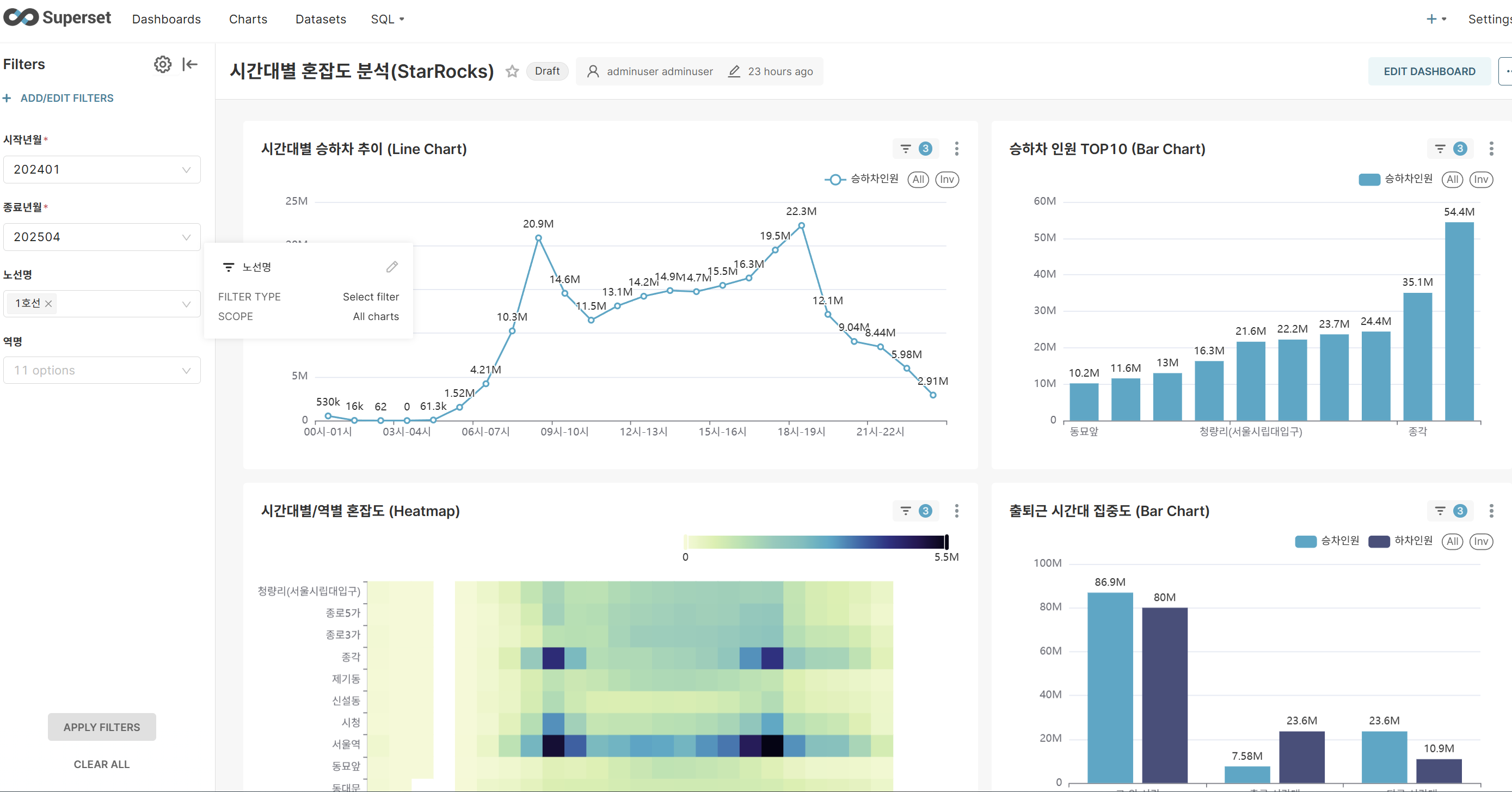
After connecting to the StarRocks DB through the MySQL protocol in Apache Superset, we convert existing dashboards that used PostgreSQL as the data source to be StarRocks-based.
Dashboard Conversion Targets:
- Time-based congestion analysis dashboard
- Transfer station traffic analysis dashboard
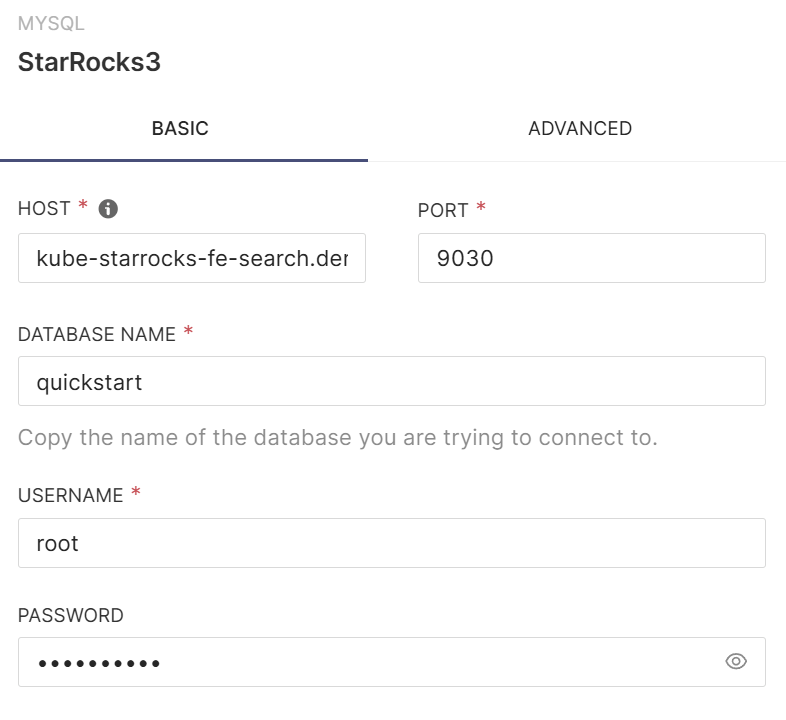
Add StarRocks DB Connection
Select MySQL Client from Superset's database connection menu and create a new database connection by entering StarRocks connection information.
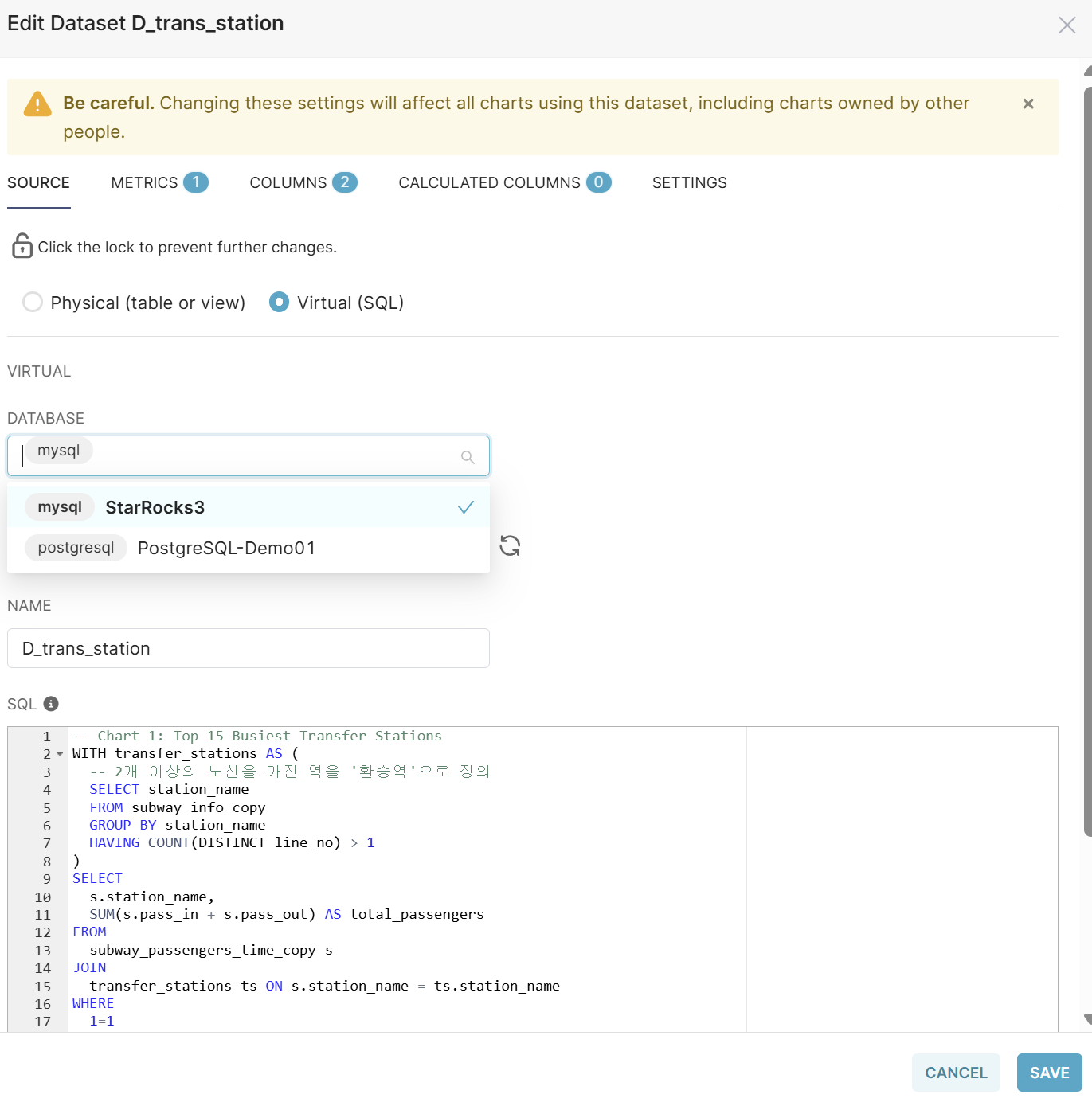
Modify Datasets
Modify each Dataset of the existing dashboard as follows:
- Open the Dataset in edit mode
- Change the Database from PostgreSQL to StarRocks (MySQL)
- Modify table names in SQL queries to match StarRocks table names
- Save the changes
When you run the modified dashboard, you can experience significantly improved query performance compared to PostgreSQL. Thanks to StarRocks' columnar storage and vectorized query engine, large-scale data aggregation and analytical queries are processed quickly.
Conclusion
In this project, we successfully built a high-performance, high-reliability real-time data replication pipeline from PostgreSQL to StarRocks using Debezium CDC and Kafka in the PAASUP DIP environment.
Key Achievements:
- Initial Load Performance: Completed loading of approximately 30,000 data records within 2-3 seconds
- CDC Processing Performance: Achieved a stable real-time replication throughput of approximately 4,009 rows/second in a test environment with minimum specifications (3 Kafka brokers, 3 StarRocks BE nodes)
- Data Consistency: Ensured perfect data consistency between Source DB and Target DB for INSERT, UPDATE, and DELETE operations
- Query Performance Improvement: Significantly improved dashboard query speed after switching to StarRocks
Insights Gained from Implementation:
-
Importance of StarRocks Sink Connector: In initial testing, using the generic MySQL JDBC Sink Connector resulted in data loading times that were more than 20 times slower. This was because it did not utilize StarRocks' native Stream Load API. Therefore, in StarRocks environments, it is essential to customize the dedicated Sink Connector to match the project environment.
-
StarRocks' Analytical Workload Optimization: When using StarRocks as a Data Mart or Data Warehouse, it delivers exceptional performance for large-scale aggregation queries thanks to its MPP (Massively Parallel Processing) architecture and columnar storage. It is particularly well-suited for implementing real-time dashboards when integrated with BI tools.
-
Scalable CDC Architecture: By separating Source and Target with Kafka at the center, we were able to build a flexible architecture that can be expanded to various data sources and target systems in the future.